Audio
How to Use Shokz OpenFit 2: Setup, Fit, and Controls
By Priya Nair | Published May 26, 2026 | Updated May 29, 2026
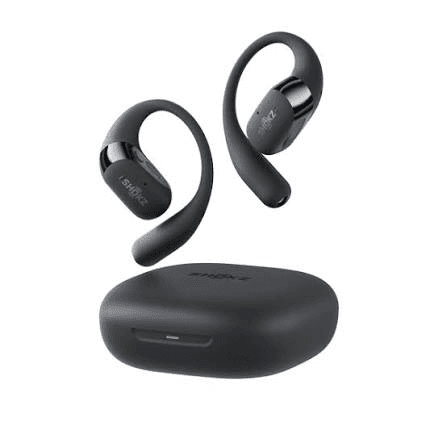
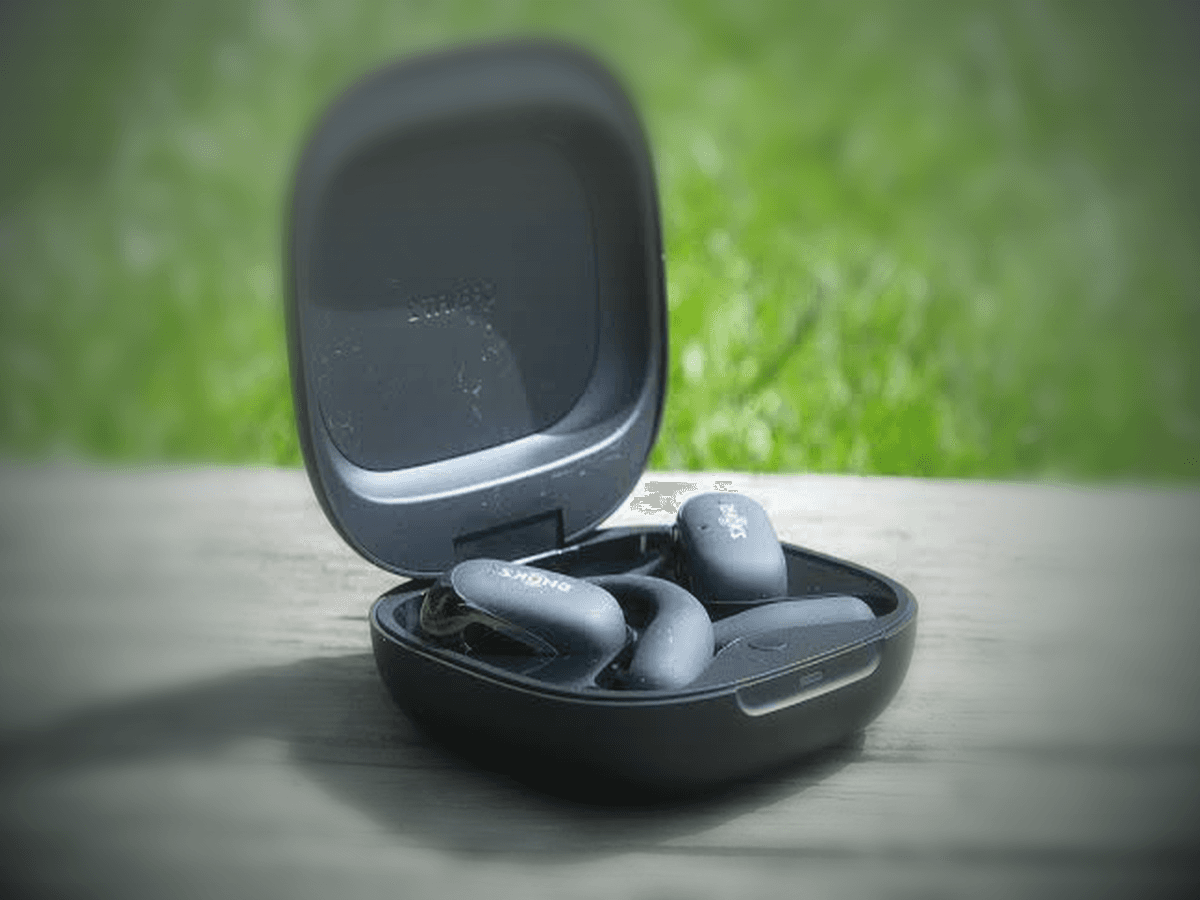
Shokz OpenFit 2 is built for people who want music, calls, and situational awareness at the same time. It does not seal the ear canal. It sits outside it. If you landed here after a Shokz OpenFit 2 Review, the setup details below will matter more than marketing claims once you start using the earbuds every day.
That sounds simple, but it changes setup, fit, and expectations. Open-ear earbuds reward good positioning more than many sealed in-ears do. This guide explains how to set up OpenFit 2 correctly, how to wear it for stable sound, how to get the most from the app, and how to solve the problems that show up most often in daily use.
Key takeaways
- Charge the case and both earbuds fully before the first pairing session.
- Fit matters more than most users expect. Small angle changes can improve clarity and stability.
- OpenFit 2 uses open-ear air conduction, not bone conduction.
- The Shokz app matters because it handles firmware, EQ, and control customization.
- If calls, workouts, and all-day comfort matter most, setup discipline matters more than flashy specs.
Know what OpenFit 2 is before you judge the sound
The most common mistake is treating OpenFit 2 like a sealed in-ear bud. It is not built for that experience. It is built to leave the ear canal open so you can still hear traffic, coworkers, gym cues, or your own footsteps.
That means the sound signature will behave differently from ANC earbuds. You trade some isolation and bass pressure for comfort and awareness. If you expect nightclub-style low end in a loud street, you will judge the product unfairly. If you want safer outdoor listening and less ear fatigue, the design makes more sense.
This is also why fit is not cosmetic. Speaker position relative to the ear opening changes perceived volume, clarity, and call intelligibility more than many first-time buyers expect.
What to do first: box check and first charge
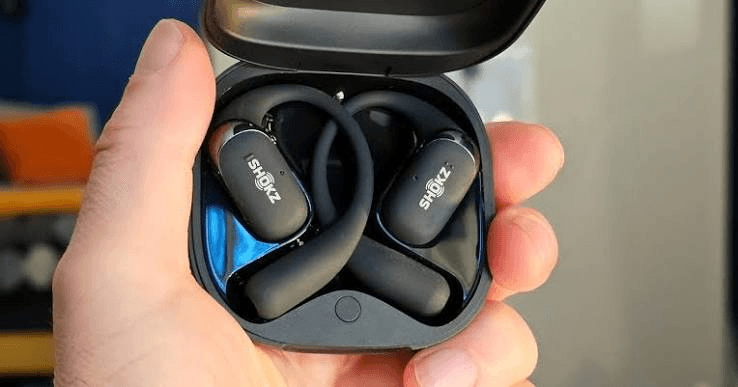
Start by checking the basics: both earbuds, the charging case, the USB-C cable, and any printed quick-start material that came in your retail package. Then place both buds in the case and give the whole set a full first charge.
A full first charge does two things. First, it reduces setup errors caused by one bud waking later than the other. Second, it gives you a cleaner baseline for battery reporting in the app after pairing.
If the earbuds seem unresponsive after long storage, reseat them in the case and leave them there for at least 30 to 60 seconds before trying again. Dirty or misaligned charging contacts are a common cause of false startup problems.
- Confirm both earbuds sit cleanly in the case.
- Charge the case and buds fully before the first pairing attempt.
- Check that the indicator behavior matches the normal charge state in the manual or app.
- Wipe contacts gently if a bud does not appear to charge.
How to pair Shokz OpenFit 2 correctly
For most users, pairing starts with both earbuds inside the case and the case open. Put your phone, tablet, or laptop in Bluetooth scan mode, then select OpenFit 2 from the device list.
After the first successful connection, play a short audio clip and confirm that both left and right channels work. Do not skip this. Many users assume pairing is complete once the name appears on screen, but a fast audio check catches channel or reconnection issues early.
If you plan to use a second device, pair the main phone first. Then place the buds back into pairing mode and connect the second device. Multipoint behavior can vary by firmware version and operating system, so test actual switching before you depend on it for work calls.
- Enable Bluetooth on the phone or computer first.
- Open the case with both earbuds inside.
- Select OpenFit 2 from the Bluetooth menu.
- Play audio and confirm both sides work.
- Install the Shokz app before you move on to customization.
Use the Shokz app early, not later
If you stop after Bluetooth pairing, you miss part of the product. The Shokz app is where you check firmware, adjust EQ, confirm battery status, review control mappings, and sometimes improve stability through updates.
This matters for E-E-A-T style setup content because real ownership is not just 'connect and play.' It is also maintenance. Firmware can change control behavior, battery reporting, or multipoint reliability. That makes the app part of the core setup path, not an optional extra for enthusiasts.
Once the app is installed, check for updates before you build muscle memory around gestures. Then review available EQ or sound presets and make sure the left and right control assignments match how you actually use earbuds.
Fit and wearing position: this is where performance changes most
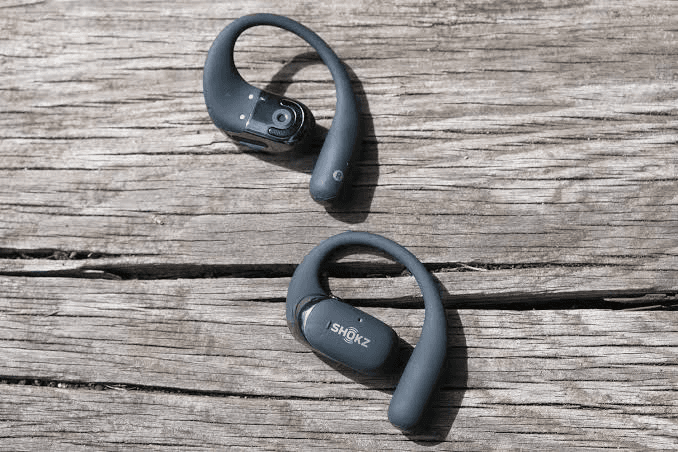
OpenFit 2 rests outside the ear canal, so correct placement matters a lot. Angle each bud so the speaker points toward the ear opening, then seat the hook or stabilizer so the earbud stays stable when you walk, turn, or jog.
Do not push harder if one side sounds weak. Rotate and reseat first. A small angle adjustment often changes perceived vocal clarity and bass far more than raising volume does.
The right fit should feel stable but not tight. If the bud feels like it is fighting the ear, it is probably positioned badly. If it feels loose, it may still sound acceptable while sitting still but drift during workouts or calls.
Use a short spoken-word clip for fit checks, not only music. Speech makes it easier to notice if one side is misaligned or slightly quieter.
- Aim the speaker toward the ear opening, not away from it.
- Reseat by rotating slightly before changing volume.
- Use speech playback to compare left and right clarity.
- Test the fit while walking, not only while sitting.
Controls: learn what your firmware actually does
OpenFit 2 uses on-bud controls for playback, calls, volume, and sometimes assistant access. The exact behavior can vary after firmware changes or app-side customization, so the current in-app layout is the real source of truth.
That sounds minor, but it matters in practice. A control scheme that feels fine at a desk may feel clumsy while running or during calls. If you skip customization, you may blame the earbud for a problem that is really just a poor control assignment.
Map the most frequent action to the easiest gesture. For many users, that means play or pause on the simplest input, call handling on the next easiest, and track or assistant functions on the longer gesture.
- Use the app to confirm the current gesture map.
- Set the most frequent command to the easiest action.
- Test controls during walking or workouts, not only indoors.
- Recheck mappings after firmware updates.
How to get better call quality from OpenFit 2
Open-ear earbuds are convenient for calls, but they need the right environment. Speak normally first. Shouting often makes the result worse, not better.
Keep hair, collars, and scarf fabric away from the microphone area. Outdoors, wind noise is still a real factor for open designs. If the wind picks up, turning your head slightly or shielding the mic area with your body can help more than increasing volume.
Also remember that your voice may sound normal to you even when the other side hears traffic or gym noise. Test a short voice memo or call sample before relying on OpenFit 2 for an important meeting.
Charging habits that help battery health
Use the USB-C cable with a normal, stable USB power source. You do not need to drain the earbuds to zero before charging. In fact, routine shallow top-ups are usually easier on modern lithium packs than repeated deep drains.
Heat is a bigger battery enemy than casual top-ups. Do not leave the case on a hot dashboard, in direct sun, or in a gym bag that traps heat after a workout.
If you store the set for a while, leave some charge in the case and check it periodically. Long-term storage at zero is harder on battery health than ordinary daily use.
OpenFit 2 is not bone conduction
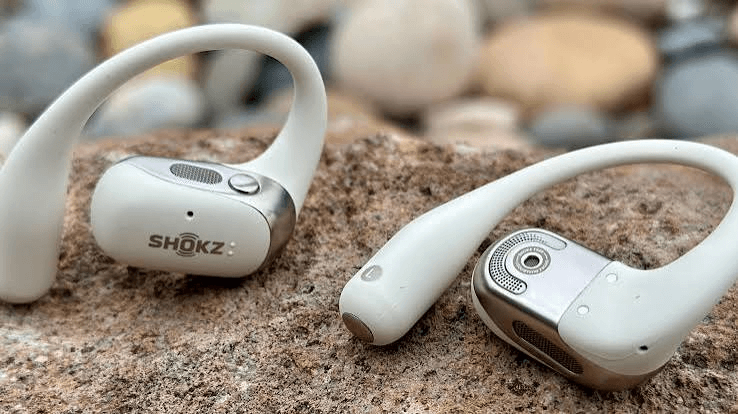
This point still confuses buyers because Shokz is strongly associated with bone-conduction products. OpenFit 2 is different. It uses open-ear air conduction. Small speakers sit near the ear opening and send sound through the air while the canal stays open.
Bone-conduction models push vibration through contact points near the cheekbone. OpenFit 2 does not do that. So if you came here expecting a temple-mounted bone-conduction headset, adjust your expectations now.
That difference affects comfort, bass feel, and situational awareness. If you specifically want the bone-conduction experience, Shokz OpenRun-style products are the more relevant comparison, not OpenFit 2.
Cleaning, sweat care, and routine maintenance
Open-ear products still need cleaning, especially around charging contacts, speaker grilles, and any surface that touches skin during workouts. Sweat, skin oil, and dust build up slowly and can affect fit or charging reliability before they cause obvious failure.
Use a dry or lightly damp soft cloth where appropriate. Avoid soaking the product or pushing debris deeper into small openings. Let the earbuds dry before putting them back in the case after a sweaty workout.
This part is easy to ignore because the product does not enter the ear canal. But from a long-term ownership perspective, simple cleaning is one of the highest-value habits you can keep.
Quick troubleshooting that solves most real problems
If only one bud plays, reseat both in the case, close the lid for 10 to 15 seconds, reopen, and reconnect. If that fails, forget the device in Bluetooth settings and pair again.
If battery levels seem uneven, check the charging contacts and confirm both earbuds are seating properly in the case. One side often fails to charge because it never made a clean contact.
If latency feels high in video apps, reconnect and move closer to the source device. Dense Wi-Fi or office Bluetooth traffic can occasionally make sync feel worse than it really is.
If the controls seem wrong after an update, open the app before assuming the product is broken. A firmware or settings change may have altered the gesture map.
- One bud silent: reseat, reconnect, then repair if needed.
- Uneven battery: inspect and clean charging contacts.
- Bad video sync: reconnect and reduce wireless interference.
- Wrong controls: check the app before blaming hardware.
Who should use OpenFit 2 and who should not
OpenFit 2 makes the most sense for users who care about awareness, comfort, and long wear time more than isolation. Runners, walkers, commuters, and desk users who dislike sealed earbuds are the clearest fit.
It is a weaker fit for buyers who mainly want maximum isolation on trains, very strong bass in loud places, or a fully blocked-out listening experience. Open-ear designs solve a different problem.
If you want broader product context, read our everything about Shokz OpenFit 2 and real user review roundup after this guide.
Final recommendation
The best way to use Shokz OpenFit 2 is to treat it like an open-ear tool, not a sealed earbud substitute. Charge it fully, update it early, fit it carefully, and test controls and calls before daily use.
Once the fit and settings are right, OpenFit 2 can be a strong choice for people who want comfort, awareness, and less ear fatigue. Most setup frustration comes from skipping the basics, not from the product concept itself.
Frequently Asked Questions
How do I put Shokz OpenFit 2 in pairing mode?▾
Open the case with both earbuds inside and look for the normal pairing behavior, or use the pairing gesture shown in the app or manual if the earbuds were previously connected elsewhere. Then choose OpenFit 2 from your device's Bluetooth list.
Is Shokz OpenFit 2 bone conduction?▾
No. OpenFit 2 uses open-ear air conduction. Small speakers sit outside the ear canal and send sound through the air instead of through cheekbone vibration.
How long does OpenFit 2 battery last?▾
Real runtime depends on volume, codec, and how much you use calls instead of music. In practice, plan around a full day of mixed use and let the case handle the extra top-ups.
Can I wear OpenFit 2 for running?▾
Yes. Open-ear designs are popular for running because they preserve awareness. Just make sure the fit is stable before you start and review the official sweat and weather rating for your unit.
Why is one earbud quieter or silent?▾
Start with reseating both earbuds in the case and pairing again. If the problem stays, clean the contacts and run the forget-and-repair process before assuming the hardware is faulty.
Do I need the Shokz app?▾
Basic pairing works without it, but the app is still important. It handles firmware updates, EQ, control customization, battery checks, and troubleshooting steps that make ownership smoother.
Why does OpenFit 2 sound different from my ANC earbuds?▾
Because it is built for open-ear listening, not sealed isolation. You keep more awareness, but you also lose some of the pressure and isolation that make bass feel stronger in closed designs.