3D Printers
Flashforge Creator 5 Pro Buying Guide: Worth It in 2026?
By Marcus Hale | Published May 22, 2026 | Updated May 25, 2026
I have spent the last two years around production desks, school labs, and small prototype shops. I tune Bambu, Creality, and Flashforge printers for teams that need reliable parts, not excuses. If you reached this page after scanning a Flashforge Creator 5 Pro Review, use that momentum to check whether the machine matches your materials, workflow, and support expectations.
The Flashforge Creator 5 Pro is the first sub-$1,000 toolchanger I would gladly use every day. This guide covers setup, strengths, weak spots, FlashSwap toolheads, and whether the Pro is the better buy than the standard Creator 5. If you buy from the official store, code CREATOR30 cuts $30 off either model.
Key takeaways
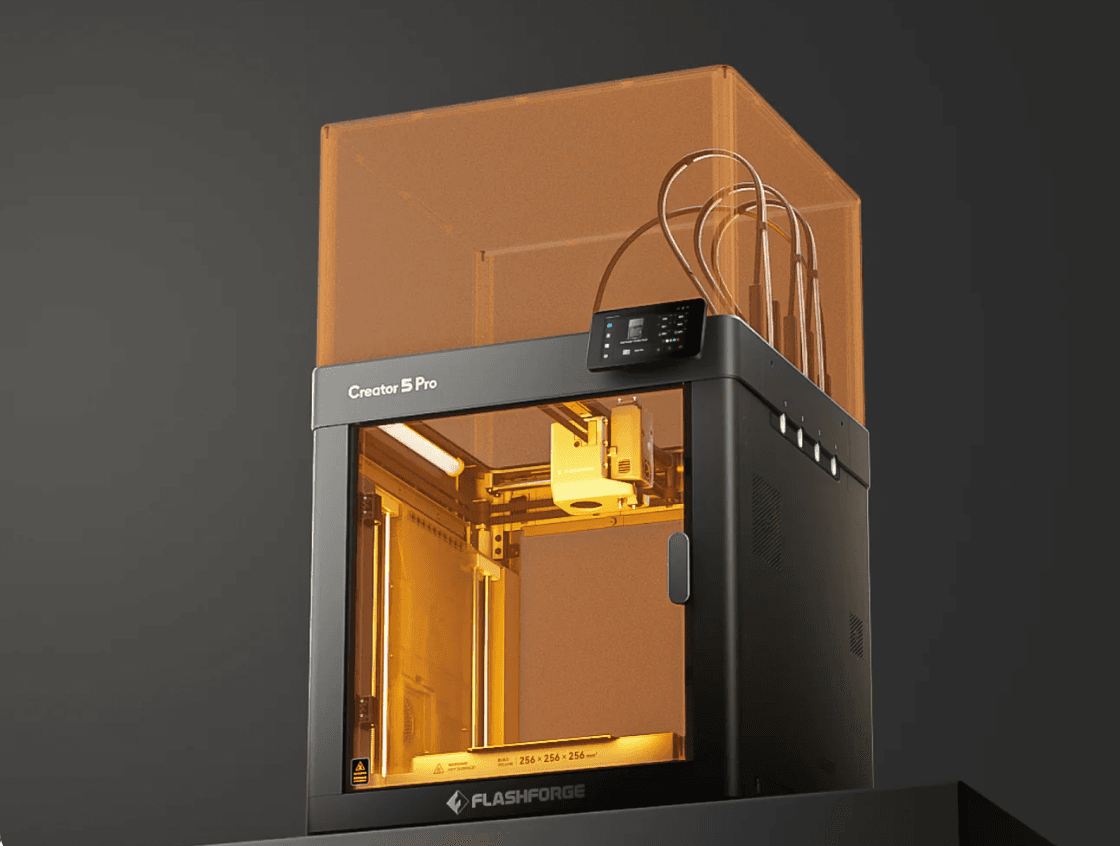
- The Creator 5 Pro is an enclosed CoreXY printer with four FlashSwap toolheads, low purge waste, and a heated chamber up to 65 C.
- Buy the Creator 5 Pro for ABS, ASA, nylon, PC, and carbon-fiber blends. Buy the open Creator 5 if you mostly print PLA and PETG.
- Your first win depends on full auto calibration, dry filament, and a stock Flashforge Studio or Orca-Flashforge profile.
- A toolchanger takes longer to warm up than a basic single-nozzle printer, but it wastes less material on multicolor work.
- Use code CREATOR30 on the Flashforge store to save $30 on Creator 5 or Creator 5 Pro.
Who this guide is for
Buy the Flashforge Creator 5 Pro if you want real multicolor or multi-material printing without a giant purge tower. It also makes sense if you care about enclosure, filtration, and better support for engineering filaments.
Skip it if you only print small PLA models, need more than four active tools, or want the cheapest machine that can make a Benchy. For a broader shortlist, see our best 3D printers for beginners.
Flashforge Creator 5 Pro setup: what night one looks like
The unboxing feels more like setting up an appliance than building a kit. The frame arrives assembled. You add the top cover sections, dock the toolheads, route the PTFE tubes, install the PEI plate, and connect power and Wi-Fi or LAN.
Run the full guided setup before you chase speed. Let the printer finish auto leveling and toolhead offset calibration. Start with dry PLA or PETG. Save ABS, ASA, and carbon-fiber blends for after you trust first layers and tool changes.
- Put the printer on a rigid table with room for the front door and top cover.
- Install the top cover, toolheads, and PTFE tubes. Make sure each dock seats cleanly.
- Connect the network, update firmware if offered, and run full auto calibration.
- Test one-color extrusion before you load four spools.
- Print a small stock sample before you start custom slicer tuning.
Flashforge Creator 5 Pro pros and cons
No printer is perfect. The right choice depends on the problems you want to solve.
- Pro: Four independent toolheads give you cleaner color changes and less purge waste.
- Pro: The enclosed frame, heated chamber, and HEPA-plus-carbon filtration make the Pro better for ABS, ASA, PA, PC, and similar filaments.
- Pro: CoreXY motion, auto leveling, and automatic toolhead offset checks lower the setup burden.
- Pro: The enclosed design is quieter than an open-frame machine in shared rooms.
- Pro: You can start with Flashforge Studio and move to Orca-Flashforge later.
- Con: Warm-up, priming, and calibration take longer than on a simple single-nozzle printer.
- Con: Four toolheads is the hard limit unless you pause and swap materials mid-print.
- Con: Tool docks and material paths need regular cleaning and dry filament discipline.
- Con: Flashforge's community is smaller than Bambu's, so you will rely more on official profiles at first.
- Con: If you mostly print single-color PLA, a simpler machine may be the better value.
What the Creator 5 Pro actually solves
Single-nozzle multicolor systems solve color with purge. That works, but it also burns time and filament. The Creator 5 Pro solves that problem with physical tool changes. Each material keeps its own nozzle path.
Open-frame printers also struggle with warping, odors, and unstable chamber temperatures. The Pro's enclosure, heated chamber, and filtration make engineering materials easier to manage in real rooms, not just in marketing photos.
Beginners also lose time on first-layer problems and bad tool alignment. Full auto leveling and automatic toolhead offset calibration remove much of that friction.
- Problem: Purge waste and muddy color transitions -> FlashSwap toolheads.
- Problem: ABS and ASA warp on an open desk -> enclosed chamber up to 65 C.
- Problem: Strong fumes in small rooms -> HEPA plus carbon filtration.
- Problem: Manual leveling stress -> full auto calibration.
- Problem: Noisy open-frame printing -> quieter enclosed operation.
Hardware and software
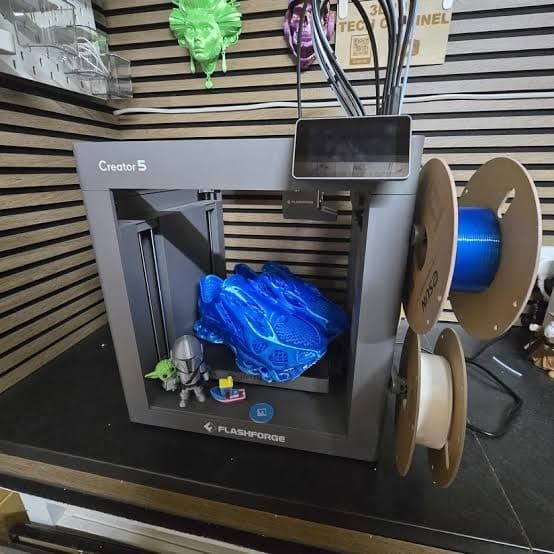
The hardware package is strong for the price. You get a rigid enclosed CoreXY chassis, a 256 x 256 x 256 mm build volume, a dual-sided PEI flex plate, hardened nozzle paths for higher-temp and abrasive filaments, active chamber heating, and layered air filtration.
The software story is good, not dominant. Flashforge Studio and Orca-Flashforge give you workable starting profiles. The Flash Maker app helps with remote starts and monitoring. For long engineering prints, I would choose LAN over Wi-Fi when possible.
FlashSwap toolheads: why they matter
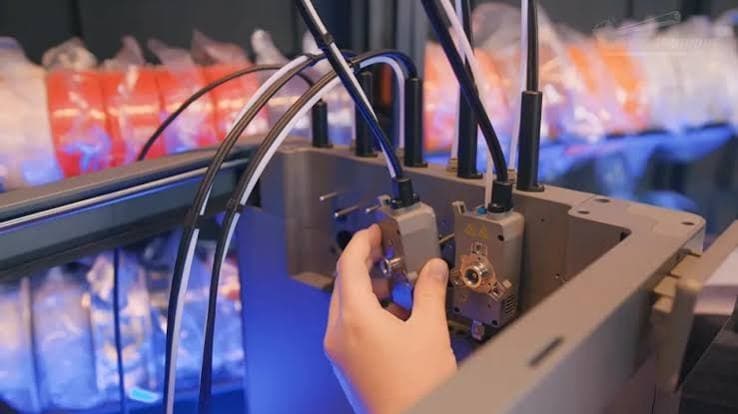
The headline feature of the Flashforge Creator 5 Pro is FlashSwap. Instead of flushing one nozzle over and over, the printer swaps between four independent toolheads.
That matters because each toolhead can stay tied to one material. You get sharper color transitions, lower waste, and cleaner multi-material workflows than a single-nozzle system usually delivers.
The trade-off is startup time. A toolchanger has to heat, prime, and confirm several heads before the job settles in. On a short test print, that feels slow. On a long multicolor part, it fades into the background.
- Four independent hotends support real multi-material printing, not just multi-color printing.
- Waste stays much lower than on single-nozzle purge workflows.
- Automatic toolhead offset calibration helps keep seams aligned.
- The hardened nozzle path is better suited to carbon-fiber and filled filaments.
- Toolchangers reward clean docks, tidy PTFE routing, and dry filament.
Creator 5 Pro features that matter most
Most buyers do not care about buzzwords. They care about waste, materials, noise, setup time, and whether the slicer fights them.
- Low-waste multicolor printing: the main reason to buy a toolchanger.
- Heated enclosed chamber: important if ABS, ASA, nylon, or PC are in your plan.
- Filtration: useful in apartments, classrooms, and shared offices.
- Auto leveling and tool offsets: the difference between a clean first night and a refund mood.
- Usable speed: headline speed only matters if the stock profiles are stable.
- Camera and app monitoring: helpful on long jobs and overnight prints.
Why the Creator 5 Pro matters in 2026
Affordable multicolor printers usually ask you to accept purge waste as the price of entry. Toolchangers used to live in a much higher price tier. The Creator 5 Pro matters because it brings four active toolheads, enclosure, chamber heat, and filtration into a price band that serious hobbyists and small shops can actually reach.
It also fills a useful middle ground. Students can watch real tool changes. Small studios can print support material and part material on one machine. Buyers who outgrow PLA do not have to jump straight to a far more expensive industrial platform.
Creator 5 vs Creator 5 Pro: which should you buy?
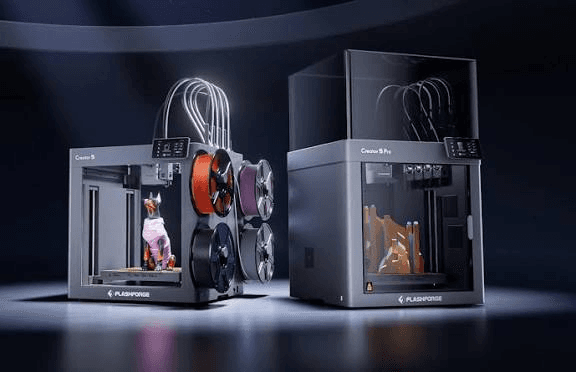
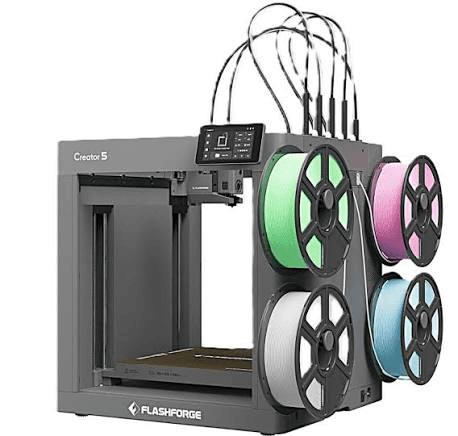
Both models share the same basic idea: four FlashSwap toolheads, a 256 mm cube build area, CoreXY motion, and automatic calibration. The real choice is enclosure, chamber heat, filtration, and material ambition.
If you also want to compare the Pro against a Bambu-style ecosystem, read our Creator 5 Pro vs Bambu X2D comparison.
- Choose Creator 5 if you mainly print PLA, PETG, TPU, and light composites on a ventilated desk.
- Choose Creator 5 Pro if you want ABS, ASA, nylon, PC, or carbon-fiber blends.
- Choose Creator 5 Pro for bedrooms, classrooms, and offices where noise, odors, and drafts matter.
- Stay with Creator 5 if budget is tight and you already have another enclosure for engineering materials.
How I would buy it today
If I needed one multicolor station for show pieces and real engineering parts, I would buy the Flashforge Creator 5 Pro, load four dry spools, and stick with one official profile family for the first month. I would not chase maximum speed on day one. I would chase clean first layers and reliable tool changes.
If you buy from the official store, apply CREATOR30 at checkout and confirm the discount before you pay. Then compare the final total against Amazon or local reseller pricing.
- Buy from the official store if the code gives you the best total price.
- Use CREATOR30 for an extra $30 off Creator 5 or Creator 5 Pro.
- Compare shipping, warranty handling, and return terms before you check out.
Final recommendation
The Flashforge Creator 5 Pro is the toolchanger I would recommend to buyers who want cleaner multicolor printing and better support for engineering materials without building a DIY enclosure. The FlashSwap system is the reason to buy it. The enclosure is the reason to keep it.
If your world is colorful PLA on an open desk, the standard Creator 5 may be enough. If your world includes ABS, quieter nights, and cleaner air, the Creator 5 Pro is the stronger buy.
Frequently Asked Questions
Is the Flashforge Creator 5 Pro good for beginners?▾
Yes, if you use stock profiles and let the printer finish full auto calibration before custom tuning. It is more capable than a small PLA-only machine, so night one should be a setup session, not a speed race.
What is the difference between Creator 5 and Creator 5 Pro?▾
Both use four FlashSwap toolheads and a 256 mm cube build area. Creator 5 Pro adds a full enclosure, active chamber heating up to 65 C, stronger filtration, and better support for ABS, ASA, nylon, PC, and similar materials.
Does the Creator 5 Pro really cut purge waste?▾
Yes. Independent toolheads reduce the need to flush large volumes of old material through one shared nozzle. You still need normal priming and startup lines, but you avoid the big purge towers common on single-nozzle multicolor systems.
Why does the first print take longer than the slicer estimate?▾
Toolchangers often heat, prime, and verify multiple heads before printing starts. That front-loaded time is most obvious on short test models and much less important on long multicolor jobs.
Can Creator 5 Pro print ABS and carbon-fiber filaments?▾
That is one of the main reasons to buy the Pro. The heated enclosure and hardened nozzle path are built for tougher materials, as long as the profile, drying, and nozzle choice all match the filament.
What software should I use with Creator 5 Pro?▾
Start with Flashforge Studio or Orca-Flashforge using official profiles. Add the Flash Maker app for monitoring. Move to custom profiles only after stock settings give you clean first layers.
How many colors can it print at once?▾
Four active toolheads means four colors or materials at one time. If you need more, you have to pause and swap materials or redesign the job for four-tool limits.
Is Creator 5 Pro quieter than the open Creator 5?▾
In normal use, yes. The enclosed Pro is better suited to shared rooms because the frame and enclosure help contain noise.
What is promo code CREATOR30?▾
On the Flashforge official store, CREATOR30 takes $30 off both Creator 5 and Creator 5 Pro. Enter it at checkout and confirm that the total updates before you pay.
Should I buy Creator 5 Pro or stay with a Bambu-style AMS printer?▾
Choose Creator 5 Pro when toolchanging, lower purge waste, enclosure heat, and multi-material control matter most. Choose a Bambu-style ecosystem when you want broader community support and accept more purge as part of the workflow.