3D Printers
Flashforge Creator 5 Pro vs Bambu Lab X2D: Which Wins?
By GearsClaw Editorial Team | Published May 23, 2026 | Updated May 26, 2026
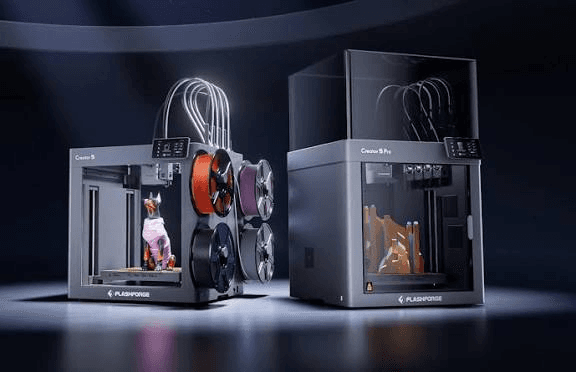
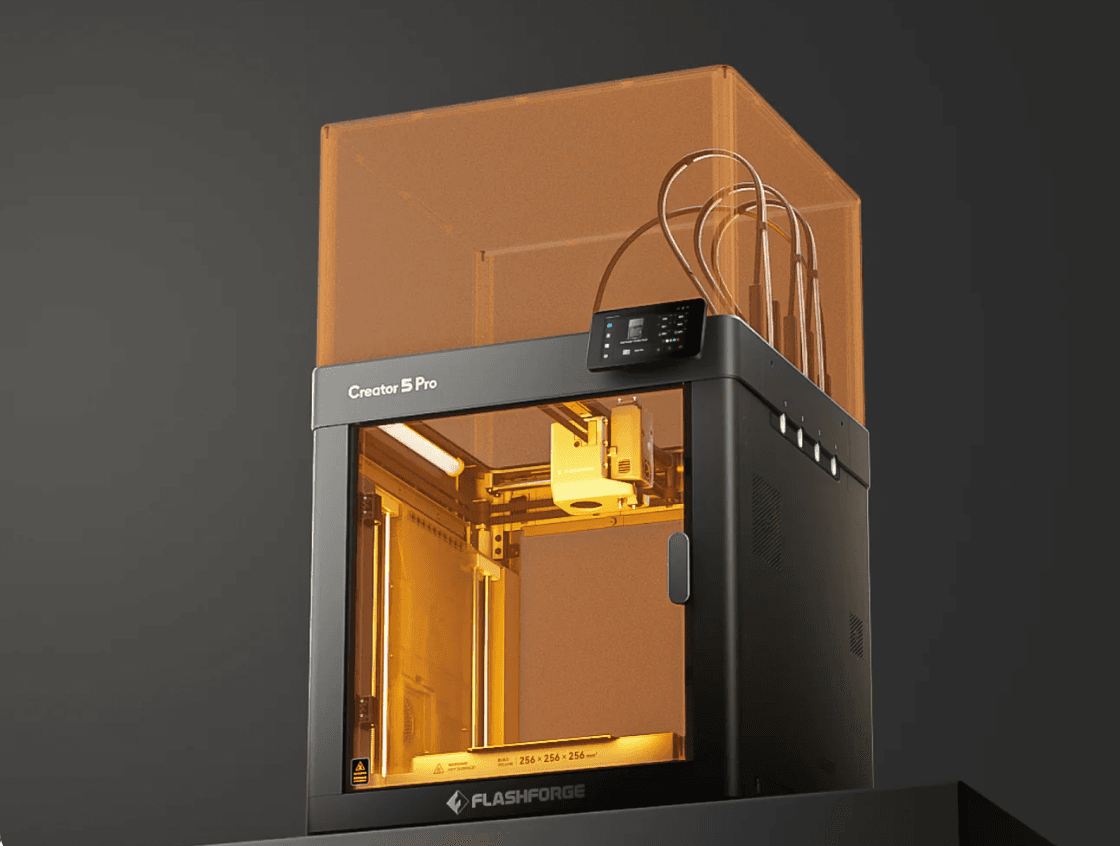
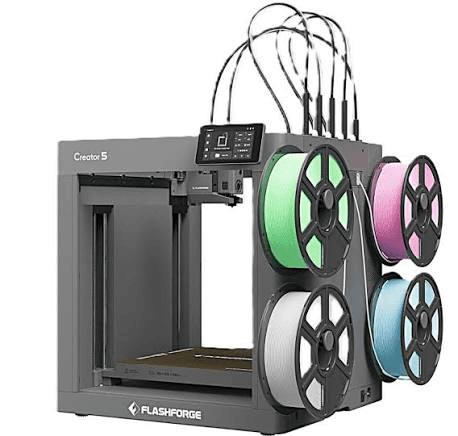
This match is not about who has the longer feature list. It is about how each printer changes material. The Flashforge Creator 5 Pro uses four FlashSwap toolheads. The Bambu Lab X2D uses a hybrid dual-nozzle setup. If you started this comparison from a Flashforge Creator 5 Pro Review, keep watching how toolchanging, purge waste, and material flexibility affect ownership after the honeymoon phase.
That difference shapes everything that follows. It affects purge waste, support workflows, maintenance, and how much help you can expect from the software ecosystem.
This comparison is editorial. It is based on published specs, workflow analysis, and the owner questions that keep showing up in public discussions. The goal is simple: help you buy the machine that fits your real jobs.
Key takeaways
- Choose Flashforge Creator 5 Pro if you want four active materials, lower purge waste, and cleaner material separation.
- Choose Bambu Lab X2D if you want Bambu Studio, MakerWorld, and a smoother two-material support workflow.
- These printers do not solve material changes in the same way. One is a toolchanger. One is not.
- If you mostly print single-color PLA, neither may be the best value. A simpler enclosed printer could be the smarter buy.
- Your real cost includes waste, failed prints, spare parts, drying gear, and your own troubleshooting time.
Quick verdict: Creator 5 Pro or Bambu Lab X2D?
Buy the Flashforge Creator 5 Pro if you care most about low-waste multi-material work. Its four FlashSwap toolheads keep materials separated instead of pushing every change through one shared nozzle. That makes more sense for frequent four-color parts, mixed-material prototypes, and jobs where purge waste adds up fast.
Buy the Bambu Lab X2D if you care most about workflow speed and software support. Bambu Studio, MakerWorld, shared profiles, and a huge user base lower the learning curve. The dual-nozzle design also makes sense when one nozzle runs the part and the other runs support material.
The key question is not brand loyalty. It is job pattern. Do you need four active materials, or do you mainly need one part material plus one support lane?
- Best for low-waste four-material work: Flashforge Creator 5 Pro
- Best for software and community support: Bambu Lab X2D
- Best for two-material support workflows: Bambu Lab X2D
- Best for planned toolchanging: Flashforge Creator 5 Pro
- Best value for simple PLA: compare cheaper enclosed printers first
What the Reddit debate gets right
The public debate is useful because it asks the right question. This is not just Flashforge versus Bambu. It is toolchanger economics versus ecosystem convenience.
That matters because different buyers feel pain in different places. A casual user may value easy setup more than low purge waste. A shop that runs color-heavy models every week may care far more about wasted filament and cleaner material swaps.
Owner threads are not lab tests, but they are still useful. They surface the issues product pages hide: cleanup time, profile quality, support depth, and whether the machine fits your real habits.
- Community size can cut troubleshooting time.
- Lower purge waste only matters if you print enough multi-material jobs to feel it.
- A second nozzle helps with supports, but it is not the same as four independent toolheads.
- The more specialized the machine, the more spare parts and maintenance docs matter.
Flashforge Creator 5 Pro vs Bambu Lab X2D: side-by-side
Specs can shift by region, bundle, or firmware. The architecture is the part that matters most.
- Material system: Creator 5 Pro uses four independent FlashSwap toolheads; X2D uses a hybrid dual-nozzle system.
- Material changes: Creator 5 Pro swaps toolheads; X2D switches nozzles and still depends more on purge when workflows expand.
- Best pattern: Creator 5 Pro for several active materials; X2D for one main filament plus support or accent material.
- Enclosure: both target buyers who need more than open-frame PLA printing.
- Software: Bambu has the stronger ecosystem; Flashforge is usable but asks for more self-reliance.
- Maintenance: Creator 5 Pro adds docks and tool offsets; X2D adds dual-nozzle alignment and feed-path checks.
- Cost: compare the whole workflow, not just the checkout price.
Toolchanger vs dual nozzle: the real split
This is the heart of the comparison. A shared-nozzle workflow has to clear old material from the melt path. That means purge lines, purge towers, flushing volume, or some mix of all three.
The Creator 5 Pro avoids much of that by giving each material its own toolhead. That cuts waste and keeps materials cleaner. It is not magic. You still need priming, wiping, and startup material. But the waste pattern is better when several materials stay active.
The X2D takes a different path. Its dual-nozzle design is strong when you want a dedicated support lane or a clean two-material workflow. It is not the same as having four equal hotends. If your plan is four-way production color, the difference stays visible every day.
Which printer wastes less filament?
The Flashforge Creator 5 Pro has the stronger case when you print many color or material transitions. Independent toolheads mean less old material gets pushed out during each change.
The Bambu Lab X2D can still be efficient for two-nozzle support work. But once you move toward heavier color changes, purge starts to matter again. At that point, Bambu's convenience and Flashforge's lower-waste design become a real trade-off.
Do not judge this from one flashy model. Track your own jobs for a month. Count transitions, purge grams, failed prints, and wasted time. That will tell you more than any launch video.
- High-transition color work favors Creator 5 Pro.
- Two-material support jobs can favor X2D.
- Mostly single-color printing makes waste architecture far less important.
- The more shared-path color changes you add, the more purge returns to the bill.
Materials and enclosure
Both printers sit above the open-frame beginner class. An enclosed chamber helps with ABS, ASA, nylon, PC blends, and other materials that hate drafts and uneven cooling.
The Creator 5 Pro makes more sense when you want several materials ready at once. You can dedicate one head to a body material, one to support, and still keep room for extra colors or materials.
The X2D makes more sense when your workflow is simpler: one main material and one support material. That is a practical pattern for brackets, fixtures, and functional parts.
For both machines, check nozzle limits, drying needs, and actual material guidance before you load abrasive carbon-fiber filament.
Software and daily ownership
This is where Bambu Lab X2D pulls ahead. Bambu Studio, MakerWorld, shared profiles, and a large install base make it easier to recover from bad prints or odd behavior.
The Creator 5 Pro suits buyers who do not mind more setup ownership. Flashforge's software path works, and Orca-Flashforge gives experienced users more room to tune, but the support gravity is smaller.
The real question is simple: how much troubleshooting do you want to own? If you want the biggest pool of guides and profiles, X2D is safer. If you want the hardware advantage badly enough to tune around it, Creator 5 Pro earns a harder look.
For setup context, you can also read our Flashforge Creator 5 Pro buying guide.
- Choose X2D for a shorter learning curve.
- Choose Creator 5 Pro if you are comfortable with tool offsets and deeper profile tuning.
- Treat software, support, and spare parts as part of the product.
- Do not buy a multi-material printer without a drying and labeling plan.
Maintenance and failure points
A toolchanger gives you cleaner material separation, but it also gives you more mechanical relationships to manage. Creator 5 Pro owners need to watch tool seating, dock condition, nozzle wear, offsets, and feed-path routing.
X2D owners need to watch nozzle alignment, material loading, support settings, and the relationship between the primary and auxiliary nozzles. Dual-nozzle systems are not maintenance-free just because the printer automates part of the setup.
Before you buy either one, check spare hotend policy, replacement lead times, and whether the official maintenance docs are clear enough for real use.
Price and total cost
The lower checkout price is not always the lower ownership cost. Compare the full bundle, nozzles, drying gear, replacement parts, failed filament, and the time you will spend solving problems.
Creator 5 Pro earns its price when four-material work is common enough to save waste and manual swaps. X2D earns its price when the Bambu workflow helps you finish more prints with less friction.
If you mostly print plain PLA parts, stop here and ask whether you are overbuying.
- Creator 5 Pro cost edge: frequent multi-material work and lower purge burden.
- X2D cost edge: software familiarity and a clean two-material flow.
- Hidden cost for both: dry storage, spare parts, calibration time, and failed engineering prints.
- Do not let a coupon decide the whole purchase.
Who should buy the Flashforge Creator 5 Pro?
Buy Creator 5 Pro if you have a repeatable reason to keep several materials active in one job. It fits color-heavy work, mixed-material prototypes, teaching demos, and small studios that care about waste.
Skip it if you mostly print one-color PLA, want the biggest community, or do not want to learn a toolchanger workflow.
- Best fit: four active colors or materials in regular use.
- Best fit: jobs that benefit from true material separation.
- Poor fit: occasional novelty color prints.
- Poor fit: buyers who want the simplest first-printer experience.
Who should buy Bambu Lab X2D?
Buy Bambu Lab X2D if you want an enclosed printer inside the Bambu ecosystem and your normal workflow is one main material plus one support or secondary lane. It is also a stronger fit for homes, classrooms, and small shops that value shared profiles and fast help.
Skip it if your use case depends on four independent production materials with minimal purge. That is where the architecture gap stops being theoretical.
- Best fit: Bambu Studio and MakerWorld users.
- Best fit: two-material support workflows.
- Best fit: buyers who value ecosystem support over toolchanger independence.
- Poor fit: buyers expecting four equal hotends.
Final recommendation
The Flashforge Creator 5 Pro vs Bambu Lab X2D choice gets easier when you describe your jobs honestly. If you need four materials, cleaner swaps, and less purge, choose Creator 5 Pro. If you need a polished Bambu workflow and a strong second nozzle for supports, choose X2D.
There is no universal winner here. There is only a better fit between machine design and owner habits.
For most first-time buyers, Bambu Lab X2D is the safer ecosystem pick. For buyers with a real multi-material production case, Flashforge Creator 5 Pro solves a hardware problem that software alone cannot.
Frequently Asked Questions
Is Flashforge Creator 5 Pro better than Bambu Lab X2D?▾
It is better for frequent four-material work, lower purge waste, and true toolchanging. Bambu Lab X2D is better for buyers who want stronger software support and a simpler two-material workflow.
What is the biggest difference between Creator 5 Pro and X2D?▾
Creator 5 Pro is a four-tool FlashSwap toolchanger. X2D uses a hybrid dual-nozzle system. That means they handle material changes in very different ways.
Does Bambu Lab X2D have four independent toolheads?▾
No. X2D is not four equal hotends. Its strength is a primary-plus-auxiliary dual-nozzle workflow, especially for support material and two-material jobs.
Which printer wastes less filament?▾
Creator 5 Pro usually has the edge when several colors or materials stay active in one job. X2D can still be efficient for dual-nozzle support work, but broader shared-path color workflows bring purge back into the picture.
Which is easier for beginners?▾
Bambu Lab X2D is usually the easier pick for beginners because the software, community, and profile library are stronger. Creator 5 Pro adds more to learn.
Can both printers handle engineering materials?▾
Both target tougher materials than an open-frame PLA printer. Real success still depends on the filament, nozzle, drying, chamber behavior, and slicer profile.
Is Creator 5 Pro worth it for single-color PLA?▾
Usually not. If you mostly print one-color PLA, the four-tool design is often more machine than you need.
Can X2D replace a four-color Creator 5 Pro workflow?▾
Not in the same way. X2D can handle two-material work and expand through the Bambu ecosystem, but that is not the same as four independent FlashSwap toolheads.
Which printer has better software and community support?▾
Bambu Lab currently has the stronger ecosystem through Bambu Studio, MakerWorld, community profiles, and a larger installed base.
Should I compare X2D to Creator 5 or Creator 5 Pro?▾
Creator 5 Pro is the fairer comparison if you care about enclosure, stronger materials support, and multi-material production. The standard Creator 5 fits lighter use cases.