AI Tools
Meshy AI vs Tripo 3D in 2026: Which AI 3D Model Generator Is Better?
By Daniel Reeves | Published May 27, 2026 | Updated May 30, 2026

A good-looking turntable is not the same thing as a useful 3D model. The real test is what happens after generation: can you clean the mesh, export it, texture it, rig it, or print it without starting over? If you opened this comparison after a Meshy AI Review or a Tripo 3D Review, keep your attention on cleanup, exports, and whether the model survives downstream work.
This Meshy AI vs Tripo 3D comparison uses that practical lens. Both tools can create a 3D model from text or an image, but they are strongest at different moments in a project. The goal is not to crown a winner from one lucky render. It is to help you choose the tool that makes your next step easier.
Short answer: choose Tripo for rapid blockouts and many disposable ideas. Choose Meshy for the concept you intend to keep working on. For many creators, the smartest workflow is Tripo first and Meshy second.
Key takeaways
- Meshy AI is the better daily driver for image-to-3D assets, textures, exports, and a Blender or game-engine handoff.
- Tripo 3D is the faster sketchbook for text-to-3D, silhouette exploration, and quick concept batches.
- Neither tool makes every output print-ready. Check scale, wall thickness, normals, holes, and floating shells before slicing.
- A fair comparison needs the same prompt, reference image, quality setting, and number of attempts for every tool.
- Features, model versions, credit limits, and pricing change. Confirm current details on the official Meshy.ai and Tripo3D sites before paying.
Meshy AI vs Tripo 3D: the quick verdict
If your question is, "What could this idea look like in 3D?" start with Tripo 3D. It is quick to generate, quick to discard, and useful when the brief is still vague. A few dozen rough silhouettes can reveal the direction worth modeling.
If your question is, "Can I turn this idea into an asset I can keep?" start with Meshy AI. Its image-to-3D and text-to-3D workflow fits better when the result must move into Blender, a game engine, a render, or a 3D-printing cleanup pass.
That is why this is not a simple quality leaderboard. Tripo wins the first ten minutes of many projects. Meshy usually wins the next few hours because it is easier to treat as part of a broader production pipeline.
If you want the wider market view beyond this head-to-head, see our Best AI 3D Model Generators 2026 ranking for pricing, free-tier limits, speed, and who each tool fits best.
If your real question is not Tripo versus Meshy but what else belongs on the shortlist, read Meshy Alternatives: Tripo, Trellis 2, or Any Other?.
How to compare AI 3D tools fairly
Many comparison pages accidentally measure cherry-picking. One tool gets the best reference image, another gets a vague prompt, and a third is run at a lower quality setting. The output may look like evidence, but the test is not reproducible.
Our editorial method follows the hygiene described in public creator discussions, including this fair-comparison discussion on Reddit. Use the same prompt family, the same reference-image rules, the same number of attempts, and document model versions and quality settings. If a tool does not expose an equivalent setting, say so instead of hiding the difference.
The test should also show failures. A useful record includes generation time, usable attempts, underside quality, holes, thin features, texture seams, polygon density, export format, and cleanup time. A browser 3D viewer is good for a first inspection, but it cannot prove that a mesh is manifold or printable.
- Simple mascot: a rounded pet rock with a flat base, two eyes, and matte stone.
- Organic model: a cutaway animal cell with distinct large forms and no tiny text.
- Hard-surface prop: a small desk organizer with three open compartments.
- Character test: a stylized creature in a neutral three-quarter pose.
- Record the exact prompt, input image, model version, quality setting, and number of rerolls.
Where Meshy AI is strongest
Meshy AI image to 3D is the better fit when the reference image is the beginning of a real asset. It gives you a more natural path from generation to texture edits, mesh inspection, and export. That does not remove the need for cleanup, but it makes the cleanup feel like the next step rather than a rescue mission.
Meshy is also the better choice when topology and downstream tools matter. A quad-friendly result can be easier to reshape than a dense, irregular surface, although "quad" does not mean animation-ready. Characters may still need retopology, UV work, rigging, and weight painting.
Use Meshy when your brief sounds like this: "Make a strong first pass from this image, then let me continue in Blender or a slicer." It is a reliable fit for props, stylized figures, product concepts, and printable mascots.
- Best for image-to-3D assets that will receive a human cleanup pass.
- Best for creators who need texture, UV, and export controls together.
- Best for Blender, Unity, Godot, or Unreal handoff after inspection.
- Watch for hidden geometry, weak small features, and texture seams.
Where Tripo 3D is strongest
The strongest case for Tripo 3D AI is momentum. Tripo makes it easy to ask, "What if the silhouette were taller, rounder, stranger, or more mechanical?" That makes it valuable for game designers, solo creators, educators, and anyone collecting visual directions before committing to a full modeling session.
Tripo is especially useful for rapid text to 3D model exploration. Keep the prompt focused on one object, one pose, and one material family. Generate several directions, compare the silhouettes in the Tripo Studio viewer, and keep only the concepts that deserve more time.
The trade-off is downstream work. A fast first pass may need more repair before a close-up render, animation rig, or clean print. Treat Tripo as the front of the funnel, not the entire factory.
- Best for rapid blockouts and disposable concept batches.
- Best for exploring characters, creatures, props, and proportions.
- Best for finding a direction before spending credits on polish.
- Watch for inconsistent details between rerolls and rough undersides.
Image to 3D and text to 3D: what actually matters
For an image to 3D model workflow, input quality often matters more than the brand. Use a centered subject, simple background, clear lighting, and a view that does not hide the silhouette. Neither tool can know the back of an object that the reference never shows.
For text prompts, describe one object, one pose, one material direction, and one camera intent. For example: "a small friendly stone mascot, rounded silhouette, two simple eyes, matte gray, flat base, front three-quarter view." Adding scale and physical constraints helps when the output is meant to be printed.
The latest model label is not a guarantee. Searches for Tripo 3.1 model gen reflect interest in current releases, but the result still depends on the reference, prompt, queue, settings, and plan. Compare the export you can use, not a launch image.
Topology, exports, and 3D printing reality
After generation, apply a neutral clay material and rotate the model under even lighting. Inspect the underside, back, interior, thin parts, and symmetry. Check normals, non-manifold edges, duplicate shells, floating parts, and scale before you send the file anywhere.
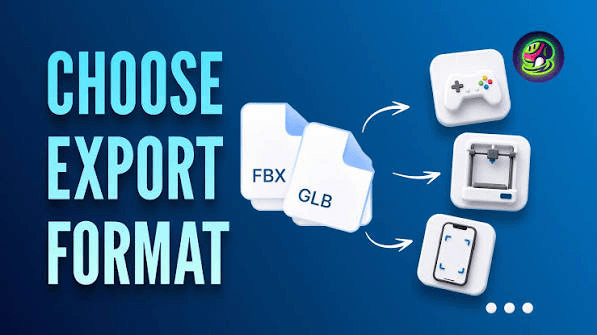
For games and animation, inspect edge flow, UV islands, material slots, texture resolution, pivot placement, and polygon count. For a still render, surface appearance may matter most. For a print, closed volume, wall thickness, overhangs, and support strategy matter more than a perfect texture.
If you are converting 3MF to STL, keep the original 3MF until the end. STL can drop materials and scene information, and conversion can expose scale or shell problems. Reopen the STL in the slicer and verify dimensions again.
- Use a mesh-repair or inspection tool before slicing.
- Make fragile horns, fingers, straps, and hair thicker than they look on screen.
- Run a small test print before committing to a large model.
- Keep the generated file and cleaned file as separate versions.
- If you search for "image to stll," you usually mean image to STL after cleanup.
Best tool by workflow
For 3D-printing hobbyists, use Tripo to explore a mascot or figurine shape and Meshy to refine the selected concept. For a simple 3D animal cell project, Tripo or a browser-first tool can be enough when the goal is teaching rather than perfect topology; simplify the forms and label them manually.
For importing models into Daz Studio, treat AI output as a prop first. Daz workflows add format, material, rigging, morph, and pose requirements. Human figures need more work than a static object, regardless of which generator made the mesh.
For Unity, Godot, or Unreal, check the forward axis, pivot, collision geometry, materials, texture paths, and mobile polygon budget. For a pet rock good luck print, prioritize a broad base and simple details over a photoreal surface.
The hybrid workflow I would use
Start in Tripo while the brief is fuzzy. Generate a small batch, discard aggressively, and keep only the two or three silhouettes you would be willing to model by hand.
Move the winner into Meshy when the brief becomes specific: a defined reference image, a stable material, a planned export, or a handoff to Blender. Save credits for the step that changes the outcome instead of polishing ideas that will never leave the moodboard.
A third tool can still help with a hero render, but more generators do not replace cleanup. The best stack is the one you can repeat and explain to another person.
If cost is your first filter, pair this article with Best Free Meshy AI Alternative in 2026 before you commit to a paid workflow.
Final verdict
Choose Tripo 3D if your main question is "What could this idea look like in 3D?" Choose Meshy AI if your main question is "Can I turn this idea into an asset I can keep working on?"
For most creators, Meshy is the better single subscription because it balances generation with export and cleanup. Tripo is the better companion when speed and exploration are the bottleneck.
My bottom line: Tripo wins the first ten minutes. Meshy wins the next several hours. Neither gets a free pass from inspection.
Frequently Asked Questions
Is Meshy AI better than Tripo 3D?▾
Meshy is usually better for a reusable asset workflow, image-to-3D cleanup, and downstream exports. Tripo is usually better for fast concept exploration and silhouette tests. The right choice depends on what happens after generation.
What is the best AI 3D model generator for beginners?▾
Use Tripo if you want the quickest way to test ideas. Use Meshy if you already have a reference image and want a more complete workflow. Start with a simple prop before attempting a character.
Is Tripo AI the same as Tripo3D or tripo.ai?▾
Those names commonly refer to the Tripo 3D product and its AI model-generation workflow. Check the official Tripo3D site before creating an account or uploading files.
Is Meshy AI image to 3D good for 3D printing?▾
It can be a strong starting point for simple props and mascots, but it is not automatically print-ready. Check manifold geometry, wall thickness, scale, overhangs, and supports in a mesh editor and slicer.
Can Tripo make a text to 3D model?▾
Yes. Keep the prompt focused on one object, one pose, and one material direction. Treat the result as a concept until you inspect and clean the exported mesh.
Can I use Meshy or Tripo models in Blender?▾
Yes. Check the downloaded format, scale, material paths, UVs, and topology after import. A generated character may still need retopology and rigging.
Can I use an AI model when importing models into Daz Studio?▾
AI-generated props are usually easier than figures. Daz Studio workflows may require compatible formats, materials, rigging, pose controls, and texture setup, so do not expect one-click character compatibility.
What should I do with a 3MF to STL conversion?▾
Keep the original 3MF, confirm units, export STL only when needed, and recheck scale, orientation, shells, and material assumptions in the target slicer.
Are AI-generated free 3D models safe to sell?▾
Check the tool terms, source-image rights, trademarks, and marketplace requirements. Commercial permission and model ownership are separate from whether the file downloads successfully.
Which is better for a 3D animal cell project or a pet rock good luck model?▾
Tripo is useful for quickly exploring both ideas. Meshy is the better next step when the chosen model needs cleanup, a controlled export, or preparation for printing.