AI Tools
Meshy AI vs TRELLIS.2 vs Tripo3D: Which AI 3D Tool Is Best in 2026?
By Daniel Reeves | Published May 28, 2026 | Updated July 31, 2026

Meshy AI, TRELLIS.2, and Tripo3D solve different parts of the AI 3D workflow. Meshy is built around a broad creator pipeline, TRELLIS.2 is a self-hosted image-to-3D research stack, and Tripo3D is useful when you want to explore many ideas quickly.
The short answer is practical: choose Meshy when the model needs to move into a real production workflow, choose TRELLIS.2 when you want open infrastructure and direct control, and choose Tripo3D when speed and rapid concept exploration matter most. A strong render is only the first test. The better question is which tool helps you finish the job.
This updated comparison keeps the technical details that matter - Linux support, GPU memory, PBR materials, exports, rigging, and post-generation cleanup - while adding the third option most creators compare with Meshy. For a wider shortlist, see our Best AI 3D Model Generators 2026 ranking.
Key takeaways
- Meshy is the best single-tool choice for creators who need generation, texturing, exports, rigging, and a browser-first workflow.
- TRELLIS.2 is the best fit for self-hosted image-to-3D research when you want open infrastructure and direct control over the stack.
- Tripo3D is the fastest option for rough ideas, disposable concepts, and comparing many silhouettes before committing to cleanup.
- If you do not have a Linux box and a 24GB NVIDIA GPU, TRELLIS.2 is not really a casual option.
- If your work depends on animation, text-to-3D, plugins, or hosted APIs, the practical advantage leans toward Meshy.
Meshy AI vs TRELLIS.2 vs Tripo3D: the quick verdict
Start with Meshy AI if you need one platform that can take an idea through generation, texturing, inspection, and export. It is the most balanced choice for creators who want to keep working on the asset after the first model appears.
Start with TRELLIS.2 if your priority is self-hosted image-to-3D research. It gives technical users more control over the environment, model, and pipeline, but the Linux and GPU requirements are part of the real cost.
Start with Tripo3D if your brief is still fuzzy and you want to generate many directions quickly. It works well as an idea funnel: explore silhouettes first, then move the strongest concept into a more complete production workflow.
If you are deciding between Meshy and Tripo specifically, read our Meshy AI vs Tripo 3D comparison. If you want more alternatives beyond these three tools, continue with Meshy Alternatives: Tripo, Trellis 2, or Any Other?.
- Best overall creator workflow: Meshy AI.
- Best for self-hosted research and infrastructure control: TRELLIS.2.
- Best for fast concept exploration: Tripo3D.
- Best workflow for many teams: explore in Tripo3D, refine in Meshy, and use TRELLIS.2 when local control is the priority.
What this comparison is based on
I am grounding this article in first-party material, not random Twitter threads. The main references are Meshy's official comparison page for Trellis 2, the official microsoft/TRELLIS.2 GitHub repo, and the Microsoft Research write-up on TRELLIS.2. That matters because product pages often drift, and research tools change fast.
I am also separating product claims from editorial judgment. When Meshy says it gives you a broader production stack, that is their product argument. When the TRELLIS.2 repo says the code is tested on Linux and needs an NVIDIA GPU with at least 24GB of memory, that is a technical requirement. My job here is to put those pieces in plain English and tell you what they mean in actual use. If color retention after export is your main concern, pair this comparison with How to Export Meshy AI Without Losing Color.
Setup and access: the first fork in the road
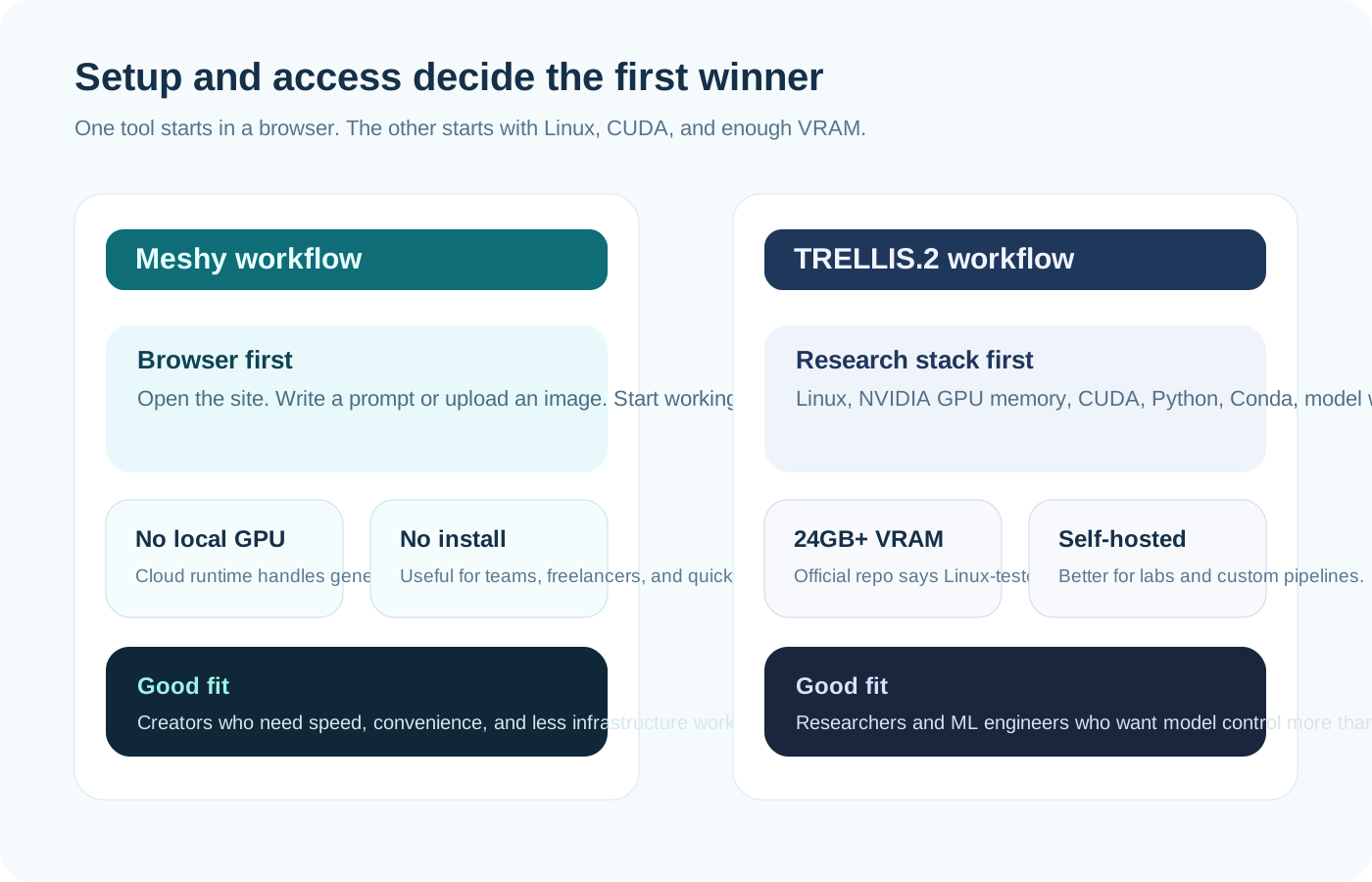
Meshy wins this round fast. It runs in the browser. That means you can open the site, type a prompt or upload an image, and start making decisions right away. No driver drama. No dependency chain. No waiting to find out whether your box has enough VRAM.
TRELLIS.2 is built for a different user. The official repo says the code is currently tested only on Linux. It also says you need an NVIDIA GPU with at least 24GB of memory, CUDA Toolkit 12.4 for some packages, and Python with a Conda-style environment. That is not evil. It is just not casual.
This distinction tells you who each tool respects. Meshy respects time-to-first-result. TRELLIS.2 respects ownership and control. If you are a solo creator trying to ship assets this week, setup cost is part of product cost. If you are a researcher building your own pipeline, setup cost may be acceptable because control is the point.
If your main question is whether a local stack can replace Meshy without a subscription, the tighter follow-up is Best Free Meshy AI Alternative in 2026.
- Choose Meshy if you want to start in a browser and move quickly.
- Choose TRELLIS.2 if you already run Linux and have the right GPU budget.
- Do not treat “free” as cheaper if infrastructure and setup hours erase the savings.
Input modes: one is broader, one is more focused
Meshy's official compare page pushes one key point hard: Meshy supports both text-to-3D and image-to-3D, while the official TRELLIS.2 repo centers image-to-3D. That is a meaningful difference. It changes the kind of creative work each tool invites.
If your process starts with a loose idea, text-to-3D is useful. It lets you explore shape and mood before you have a polished reference image. That is a real advantage for game prototyping, toy concepts, creature ideation, and quick pitch work.
TRELLIS.2 is more focused. Its official positioning is high-fidelity image-to-3D. That can be a strength. A narrower tool often does one thing better than a broad tool does everything. If you already have strong reference images and want a self-hosted path from image to textured asset, that focus may be exactly what you want. For a more creator-focused text-to-3D comparison, see Meshy AI vs Tripo 3D.
Output quality: stop judging from the hero angle alone
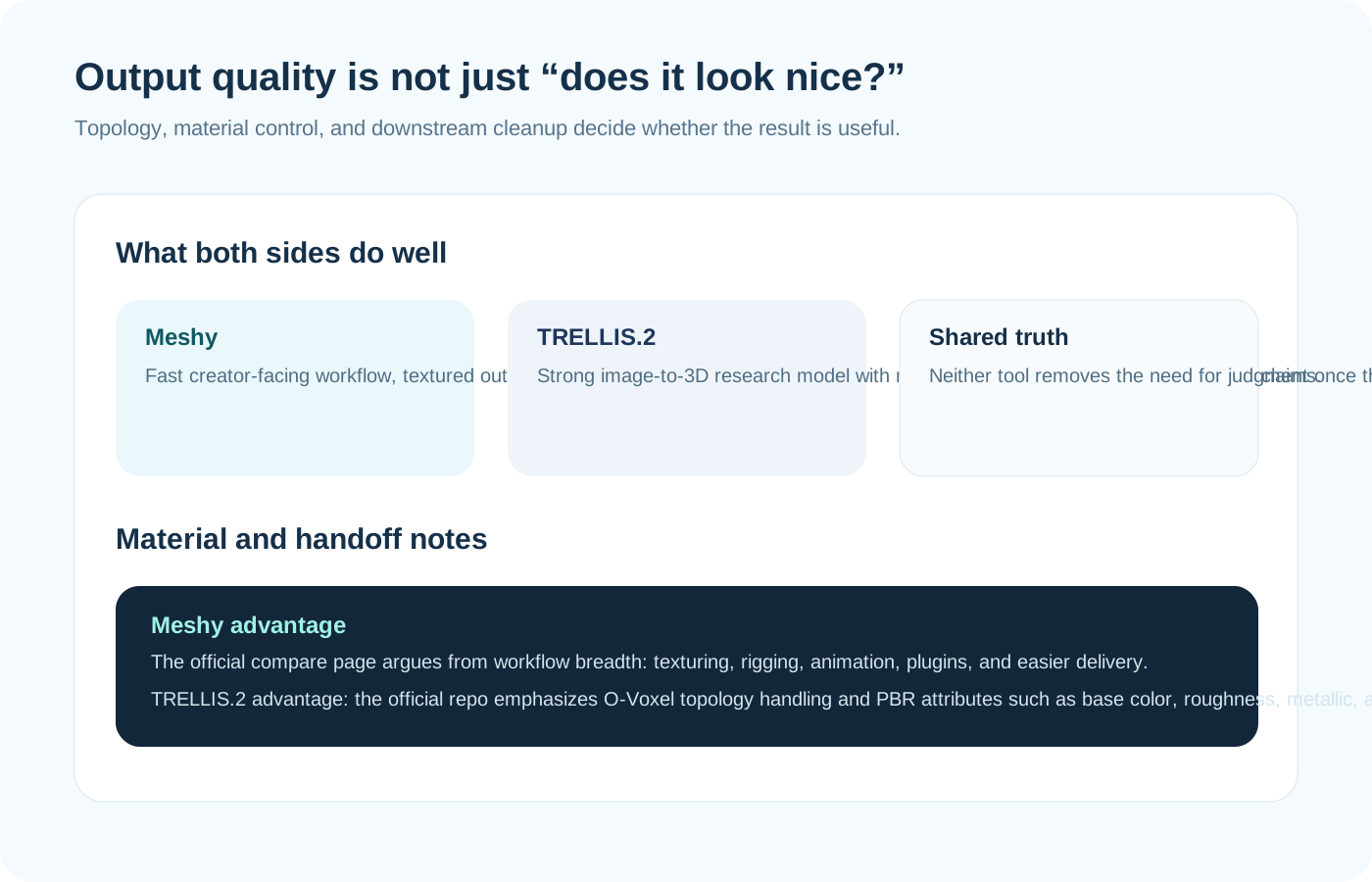
Both products claim serious output quality, but they frame quality in different ways. Meshy frames quality as part of a usable creator workflow. TRELLIS.2 frames quality through model architecture and material fidelity. Those are not the same sales stories.
The TRELLIS.2 repo is interesting here. It describes a 4B-parameter model built around a sparse voxel representation called O-Voxel. It also claims support for complex topologies, open surfaces, non-manifold geometry, internal structure, and PBR material attributes including base color, roughness, metallic, and opacity. For technical readers, that is the strongest part of the TRELLIS.2 pitch.
Meshy, by contrast, argues from the asset pipeline. The question is less “can the model represent a difficult surface?” and more “can I make something useful, textured, exported, and easy to continue working on?” For many artists, that broader question is the right one. The best mesh in the world still loses if the next four steps are painful.
- TRELLIS.2 looks strongest when you care about architecture-level quality claims and self-hosted image-to-3D research.
- Meshy looks strongest when you care about asset usability after the first generation pass.
- In either tool, inspect the underside, seams, thin parts, and material behavior before you trust the result.
Speed and hardware: cloud convenience versus local control
Meshy's compare page makes the speed story easy: the user does not need local GPU hardware because Meshy runs in the cloud. That convenience is real. A creator can judge output without first becoming part-time IT support.
TRELLIS.2 offers another kind of speed story. In the official repo, Microsoft lists approximate timings on an NVIDIA H100: around 3 seconds at 512 cubed, around 17 seconds at 1024 cubed, and around 60 seconds at 1536 cubed. Those are impressive research numbers. They are also tied to high-end hardware.
That last sentence matters. Hardware context changes the meaning of a benchmark. If you already have the right GPU, those timings are exciting. If you do not, they are marketing weather in a different city.
Workflow after generation: this is where the gap gets wide
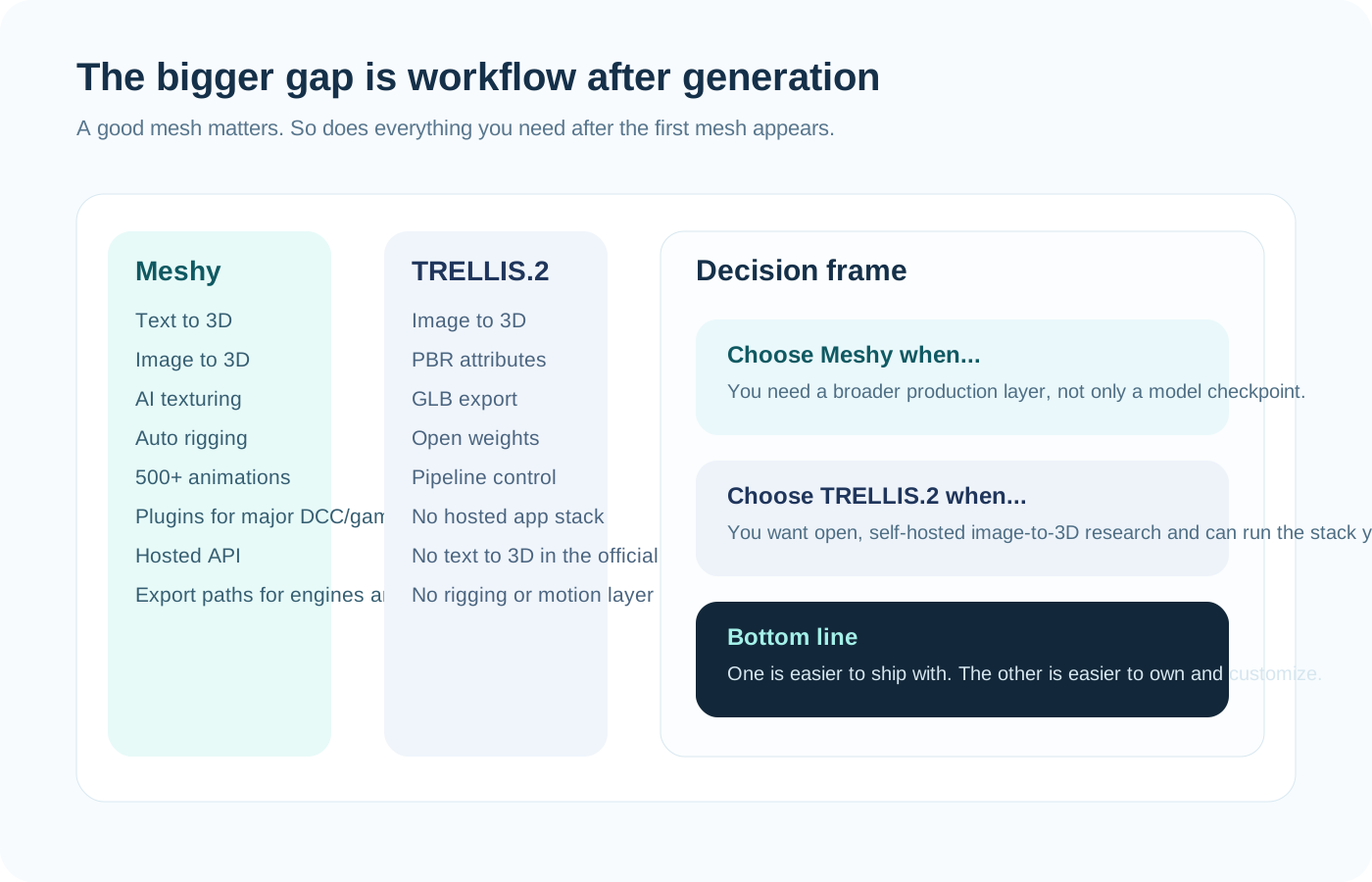
Meshy's official argument is strongest after the first model appears. It bundles texturing, rigging, animation presets, plugins, and a hosted workflow around the model. That means the product is not only trying to solve generation. It is trying to reduce the friction that follows generation.
TRELLIS.2 is not really trying to solve that whole stack. The repo is about a generative model and the supporting code around it. That is why the comparison feels uneven if you expect Trellis 2 to behave like a creator platform. It is not that kind of product.
For a working artist or studio generalist, this difference is enormous. If you need an asset to move toward Unity, Unreal, Blender, Roblox, or a print workflow without too much manual bridge work, Meshy has the friendlier shape. If you need to self-host, script, inspect, and customize the model layer itself, TRELLIS.2 has the stronger appeal. Before treating any generated model as finished, follow the export and material checks in How to Export Meshy AI Without Losing Color.
- Meshy is broader after generation: texturing, rigging, motion, plugins, and hosted use.
- TRELLIS.2 is narrower after generation: more model-focused, less pipeline-complete.
- This does not make Trellis 2 worse. It makes it more specialized.
Integrations and export paths: creators feel this every day
Meshy's compare page emphasizes integrations with major DCC and engine workflows. That matters because handoff pain is where many 3D tools quietly lose users. A creator rarely quits because a demo looked bad. They quit because export, import, rigging, or cleanup took too much time.
The official TRELLIS.2 repo shows a more compact path. It demonstrates export to GLB and focuses on the core asset output. That is fine for research and custom pipelines. It is less complete for someone who wants built-in convenience around game engines, animation, and broader production routing.
So ask a blunt question. Do you want an open model that you can own more directly, or a platform that removes the boring glue work? Many teams do not need the same answer.
Pricing, licensing, and the hidden cost of “free”
Meshy has free and paid plans. TRELLIS.2 is free to self-host under the repo's MIT license structure, with noted dependency-level license caveats in the repo. On paper, that can make Trellis 2 look cheaper. In practice, free software can become expensive software once you count the machine, setup time, maintenance, and the labor needed to wrap it into a stable workflow.
That does not mean hosted tools are always the smarter buy. If you are a research team that already owns the hardware and wants direct control, then self-hosting can be the better economic choice. But if you are one designer, one founder, or one small art team, the hidden cost of infrastructure is easy to underestimate.
A good rule is simple. Price the system, not only the subscription. A browser tool charges money directly. A research stack often charges money indirectly.
Who should choose Meshy
Choose Meshy if you are a creator first and an infrastructure manager second. That includes concept artists, indie game teams, marketers who need 3D visuals fast, and 3D printing hobbyists who value a smoother front-end workflow. It also includes anyone who wants text-to-3D, built-in texturing, easier export paths, or a more complete creator surface around the model.
Meshy also makes more sense when your goal is to move quickly from idea to decision. If you are still exploring shapes, trying multiple directions, or handing assets between non-technical teammates, browser access is not a luxury. It is part of the product.
Who should choose TRELLIS.2
Choose TRELLIS.2 if you are comfortable running a self-hosted stack and you care about model ownership, pipeline control, and image-to-3D research quality. It fits ML engineers, technical artists in research-heavy environments, and labs that want direct access to the model rather than a polished creator platform.
It also makes sense if you see infrastructure as freedom, not burden. Some teams want to script the pipeline, inspect every stage, and own the environment. TRELLIS.2 respects that mindset better than a browser-first commercial tool does.
Final verdict
If you ask which tool is better for most creators in 2026, my answer is Meshy. Not because open research models do not matter. They do. But most creators are not buying a paper. They are buying time. Meshy is better at turning time into finished work.
If you ask which tool is more interesting for self-hosted image-to-3D research, my answer is TRELLIS.2. The official repo is technically serious, the architecture claims are meaningful, and the open setup invites deeper control than a hosted creator platform will.
Tripo3D belongs in the conversation when speed matters more than a finished pipeline. It is a useful first pass for rough ideas, while Meshy is usually the better next step when the selected concept needs texturing, export, or cleanup.
So the clean conclusion is this. Meshy is the stronger production choice. TRELLIS.2 is the stronger research-stack choice. Tripo3D is the stronger exploration choice. Pick the tool that matches the work you actually do, not the work that sounds smartest in a demo.
For the wider shortlist beyond this matchup, continue with Meshy Alternatives: Tripo, Trellis 2, or Any Other?, or compare the broader field in Best AI 3D Model Generators 2026.
Frequently Asked Questions
Is Trellis 2 free?▾
The official TRELLIS.2 GitHub repo is released under the MIT License, with separate license notes for some dependencies. So yes, the core repo is free to access, but running it still requires the right hardware and environment.
Can Trellis 2 do text-to-3D?▾
The official TRELLIS.2 repo is positioned around image-to-3D. Meshy's compare page also presents Trellis 2 as not supporting text-to-3D in the same browser-product sense that Meshy does.
Can I run Trellis 2 on Windows?▾
The official repo says the code is currently tested only on Linux. That does not mean no one will attempt Windows, but Linux is the supported path stated by the project.
Which is better for game development?▾
For most game teams, Meshy is the better practical choice because the platform layer around generation is broader. If you only want a self-hosted image-to-3D research model and plan to build the rest of the workflow yourself, TRELLIS.2 can still be useful.
Which is better for researchers?▾
TRELLIS.2 is the stronger fit for researchers and ML engineers who want open weights, self-hosting, and more direct pipeline control. Meshy is the stronger fit for creators who want a production-friendly experience.